Queries
Orbital searches devices in your organization for malicious activity through Queries. osquery uses a relational data model to represent the operating system as a relational database that lets you write SQL queries to explore operating systems and device data.
Orbital uses osquery stock tables and Orbital-specific tables.
Orbital also disables some stock osquery tables to enhance security and performance. The disabled tables are listed in the platform-specific configurations for Linux, macOS, and Windows.
Orbital results can be sent to other applications like Secure Endpoint, Secure Malware Analytics, and Cisco Threat Response. The results can be stored in remote data stores (RDS), like Amazon S3, Microsoft Azure, and Splunk.
Queries are built and executed using the Orbital Builder, located on the Investigate page.
Types of Orbital Queries
Orbital provides two types of queries: custom and scheduled.
Custom Queries
Custom queries are also called live queries or probes.
Custom query lets you iterate and test quickly. Custom queries run and return results immediately to let you test and iterate if necessary. The results can be viewed in the [Results pane](../the orbital builder/#results_pane) or the Results page.
Custom queries return one set of results for devices that meet the query criteria. If a targeted device is offline, it will not be queried, and no results will be returned for that device.
Scheduled Queries
Scheduled queries run at a specific time for a set duration. For example, a query is given an execution window of 24 hours and a frequency of 15 minutes. This means that the query will actively run and collect results for a period of 24 hours after its execution has been started, and that it will attempt to contact each relevant device and run the query every 15 minutes.
Scheduled queries are most useful for developing a picture of a node's history over the query's window of time.
Refer to Scheduled Queries for more information.
Query Prefixes
Orbital can use query prefixes to specify which devices the query will run against, whether they are specifically identified, or match a set of criteria. Query prefixes can be grouped into three categories: Special, Dynamic, and Static.
Special Prefixes
This prefix category currently contains only one prefix, the all prefix. It is used when defining which devices will be included in a query. Using this prefix will force Orbital to run the query against all the devices in your organization .
All cannot be used in conjunction with other prefixes, nor can it be used with the allowos filter.
The prefix can be used along with the Operating System Filter to narrow down the number of devices that the query will be run against. For example, if you set the Operating System Filter to include only Mac devices, the all prefix will run the query across all macOS-based devices in an organization.
The all prefix has the potential to impact device performance and should be used with caution when running queries that are CPU-intensive or produce a large number of results.
Dynamic Prefixes
This prefix category consists of those prefixes for which a set of search criteria has been specified. Providing any criteria for one or more of these dynamic prefixes will cause the query to be run against all devices that match the criteria specified by the prefix. Unlike static prefixes, any devices that match the prefix criteria but are not online will be included in the query once they have reconnected, and will continue to be included until the query expires.
Static Prefixes
This prefix category consists of prefixes that directly specify one or more known devices to run the query against. These prefixes can directly specify the device or devices to query, or they can contain a wildcard (%) to specify a group of devices.
All prefixes that use the wildcard character (%) will be treated as a dynamic prefix.
Any static prefixes that refer to unknown or disconnected devices at the time the query begins will have the specified devices dropped from the query. If a device has been dropped from the query, it will not be queried if it reconnects to the network during the query's execution.
Refer to the Query API's Prefix Table for more information on Orbital query prefixes.
The allowos Filter and the Orbital Query Catalog
allowos is a filter used to specify which operating system must be running on a device before the query will run against it.
The allowos filter can be used with queries stored in Orbital SQL Query Catalog. Because allowos influences the devices that will run the query, it is defined along with the devices, either by typing the value in the Devices field or defining it in either of the Operating system filter pop-up(s), shown in the figure below.
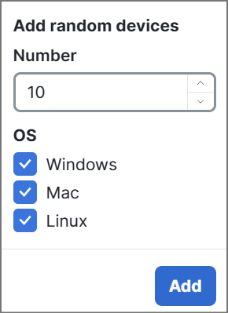
or
The SQL Query Catalog contains queries that should only be executed on devices running a specific operating system. For example, a query that searches through the Windows registry cannot be run on devices using macOS or Linux.
The allowos filter returns only the devices that are running the desired operating system. For example, if you run the Apple System Log (ASL) System Events Monitoring query, Orbital will execute it against all devices specified in the Devices field, regardless of the OS. Since some devices queried may be running Windows or Linux, specifying that you only want macOS (allowos:mac) devices returned is a way of ensuring that you will receive accurate results.
Query Success
A query will be successful if at least one of the following conditions is met:
-
The query contains the all special prefix, a dynamic prefix, or at least one resolvable static prefix.
-
At least one static or dynamic selector can be resolved if some or all of a query's static prefixes fail to resolve to known devices.
-
While queryid (for linked queries) is a dynamic prefix, each prefix value must refer to a known query at the time of the request, or the request will fail.